

Microsoft
All Microsoft services




Secure your Microsoft Account and all Microsoft services with 2FA
Secure all your accounts with Authenticator App.


 Scan to download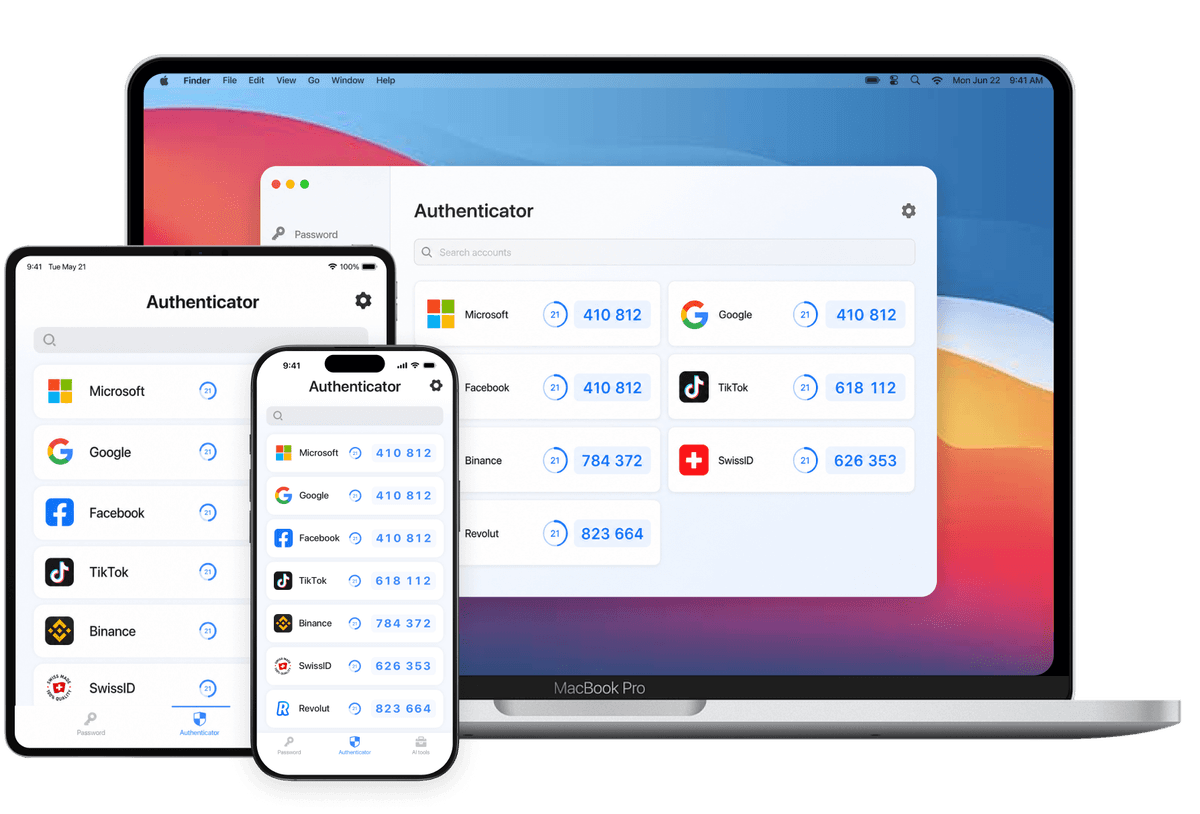
All Microsoft services
Secure your Microsoft Account and all Microsoft services with 2FA
All Google services
Protect your Google Account and all Google services with 2FA












 More
More iOS
iOS iPadOS
 macOS
macOS


Everything you need to keep your accounts protected
Easy to set up. You have to remember just one password.
Unlock instantly with Face ID or Touch ID.
Add accounts quickly with one scan.
Back up and sync your accounts securely across all your devices via iCloud.
Your 2FA codes stay encrypted and protected—even in iCloud.
Get fast, helpful support whenever you need assistance.
Read what users think about Authenticator App

So happy there's an authenticator app that seamlessly syncs your info! I was always worried about losing my data when upgrading my phone, but the iCloud backup here works flawlessly. Upgraded my iPhone and all my codes were there instantly.

This is easily my favorite app-based authenticator out there. It works just as you'd expect on my Apple devices, with a super clean interface. The Face ID lock is exactly what I needed for that extra layer of security and peace of mind.

I needed a straightforward 2FA app, and this is exactly it. It’s incredibly fast, and adding all my codes via the camera scanner took no time at all. The scanner is snappy and never freezes. Everything just works right out of the box!

It really is the best 2FA app I've used. The visual layout is beautiful and intuitive. I love how clean the interface is, making it easy to find the exact code I need in seconds. Customizing the icons adds a nice personal touch.

I have about 20 different accounts linked for work and personal use. The list is clean and easy to read. I scroll down, find the one I need, and tap to copy. It does exactly what it needs to do.

I switch between my iPhone and iPad all the time for work, and my codes sync flawlessly across both devices. Support helped me set up my second device almost instantly. Awesome app and even better customer service!
Discover what leading websites are saying about our product
























Set up two-factor authentication for the services you use most.
A simple and secure way to manage all your two-factor authentication (2FA) codes in one place

Scan to download—opens the App Store automatically